Disclaimer: ProCESS/CLONES internally implements the probability distributions using the C++11 random number distribution classes. The standard does not specify their algorithms, and the class implementations are left free for the compiler. Thus, the simulation output depends on the compiler used to compile CLONES, and because of that, the results reported in this article may differ from those obtained by the reader.
The following steps are required to simulate a tissue.
creation of a tissue;
introduction of cells in the tissue;
actual simulation.
The simulation is managed by an object of the R6 class
TissueSimulation, which allows programmingm the tissue
evolution over time, adding new cells as the simulation progresses. The
state of the simulation and tissue can be visualised using
ggplot2-powered plots.
Tissue specification
To perform a simulation, a new object of class
TissueSimulation must be created.
library(ProCESS)

# Default constructor
sim <- TissueSimulation()
This automatically builds a 1000x1000-cell tissue and sets the name
of the simulation to be
clones_<date>_<hour>.
A simulation custom name can be specified as it follows.
library(ProCESS)

# set the seed of the random number generator
set.seed(0)

# Call your simulation "Test"
sim <- TissueSimulation("Test")
The set.seed() call is not mandatory and can be omitted;
however, it is highly recommended to ensure the simulation
repeatability.
The optional Boolean parameter save_snapshots can be
used to save the simulation progress to the disk and recover it later.
By setting save_snapshots to TRUE, the
simulation progress os saved in a directory named after the
simulation.
# The progress of the simulation will be saved in the "Test" folder.
# If the directory "Test" already exists, an exception is raised.
sim <- TissueSimulation("Test", save_snapshots = TRUE)
We can get information about any TissueSimulation object
by printing the corresponding variable.
sim
#> ──  ProCESS   D   S   M  Test ─────────────────────────── ▣  [1000x1000]  ⏱ 0 ──
#> ✖ The simulation has no samples yet!
TissueSimulation objects expose methods to retrieve
specific information and control the modelled simulations.
# Get the simulation directory, i.e., "Test"
sim$get_name()
#> [1] "Test"

# Get the tissue size, i.e., c(1000,1000)
sim$get_tissue_size()
#> [1] 1000 1000
Custom Tissue Sizes
The tissue size can be specified during simulation creation using the
parameters width and height.
# build a tissue simulation whose tissue has a width of 1200 and
# a height of 900
sim <- TissueSimulation("Test", width = 1200, height = 900)

# Get the tissue size, i.e., c(1200,900)
sim$get_tissue_size()
#> [1] 1200  900
Species specification
In order to simulate the evolution of some species, we need to add
them to sim. This process defines the evolutionary
parameters of the species.
A mutant is a set of cells having the same (potentially unknown) driver mutations. Cells in the same mutant can have different liveness rates due to different epigenetic states.
A species is a mutant with an optional epigenetic state. At
this point in the simulation, the mutant is just a name (A,
B, etc.) that could later be linked to mutations of
interest. The epigenome is a binary feature of a species, represented by
epi-states +/- (positive and negative status).
This is an abstraction that could represent an active/inactive state
linked to promoter methylation or, more broadly, a phenotype. The
evolution of mutants is non-reversible (no-back mutations model), while
the evolution among epi-states is potentially reversible.
For example, if we define two mutants A and
B with their epi-states +/-, we
have 4 distinct species: A+ and A-, as well as
B+ and B-.
Hybrid models can be obtained, e.g., a mutant A (with no
epi-states), together with B+ and B-.
Evolutionary parameters
We use a notation common in linear birth-death processes. If a
species A has no epi-states, then its stochastic behaviour
is defined by the state-change rates
\begin{align} \text{(growth)}\quad A & \rightarrow_{\lambda} 2 A \\ \text{(death)}\quad A & \rightarrow_{\delta} \emptyset \end{align}
where:
- \lambda>0 is the cell growth rate;
- \delta>0 is the cell death rate.
Instead, if the species has epi-state + (denoted A_\oplus) and - (denoted A_\ominus), then its stochastic behaviour is
defined by the state-change rates
\begin{align} \text{(growth +)}\quad A_\oplus & \rightarrow_{\lambda_\oplus} 2 A_\oplus \\ \text{(death +)}\quad A_\oplus & \rightarrow_{\delta_\oplus} \emptyset \\ \text{(growth -)}\quad A_\ominus & \rightarrow_{\lambda_\ominus} 2 A_\ominus \\ \text{(death -)}\quad A_\ominus & \rightarrow_{\delta_\ominus} \emptyset \\ \text{(switch +-)}\quad A_\oplus & \rightarrow_{\epsilon_{+-}} A_\oplus + A_\ominus \\ \text{(switch -+)}\quad A_\ominus & \rightarrow_{\epsilon_{-+}} A_\ominus + A_\oplus \end{align}
where the rates \lambda and \delta are as above, and \epsilon_{+-} or \epsilon_{-+} are the rates at which cells of a certain epi-state duplicate and flip the epigenetic marker of one of the progeny.
sim$add_mutant(name = "A",
               epigenetic_rates = c("+-" = 0.01, "-+" = 0.01),
               growth_rates = c("+" = 0.2, "-" = 0.08),
               death_rates = c("+" = 0.05, "-" = 0.01))

# updated object (counts refer to number of cells of each species)
sim
#> ──  ProCESS   D   S   M  Test ──────────────────────────── ▣  [1200x900]  ⏱ 0 ──
#>
#> ── Species: 2, with epigenetics
#>
#>    =======  ====  ====  ====  ======  ===
#>    species   λ      δ    ε    counts   %
#>    =======  ====  ====  ====  ======  ===
#>         A-  0.08  0.01  0.01    0     NaN
#>         A+  0.20  0.05  0.01    0     NaN
#>    =======  ====  ====  ====  ======  ===
#>
#> ── Firings: 0 total
#> ✖ The simulation has no samples yet!

# Get the simulation species and their rates
sim$get_species()
#>   mutant epistate growth_rate death_rate switch_rate
#> 1      A        -        0.08       0.01        0.01
#> 2      A        +        0.20       0.05        0.01
A mutant without epi-states could be added as
# Not run
sim$add_mutant(name = "A", growth_rates = 0.2, death_rates =  0.1)
To be able to simulate the model, an initial cell needs to be displaced in the tissue.
# We add one cell of species A+ (mutant A in epi-state +) in
# position (500, 500).
sim$place_cell("A+", 500, 500)
Visualisations
We can query the current state of the simulation and extract the position of each cell in the tissue.
# Counts per species
sim$get_counts()
#>   mutant epistate counts overall
#> 1      A        -      0       0
#> 2      A        +      1       1

# Cells position (one so far)
sim$get_cells()
#>   cell_id mutant epistate position_x position_y
#> 1       0      A        +        500        500
This information can be plotted. Note that the tissue visualisation uses hexagonal bins to avoid plotting delays when the simulation uses thousands of cells.
# Pie-chart for counts
plot_state(sim)
# Spatial distribution for the whole tissue (hexagonal bins)
plot_tissue(sim)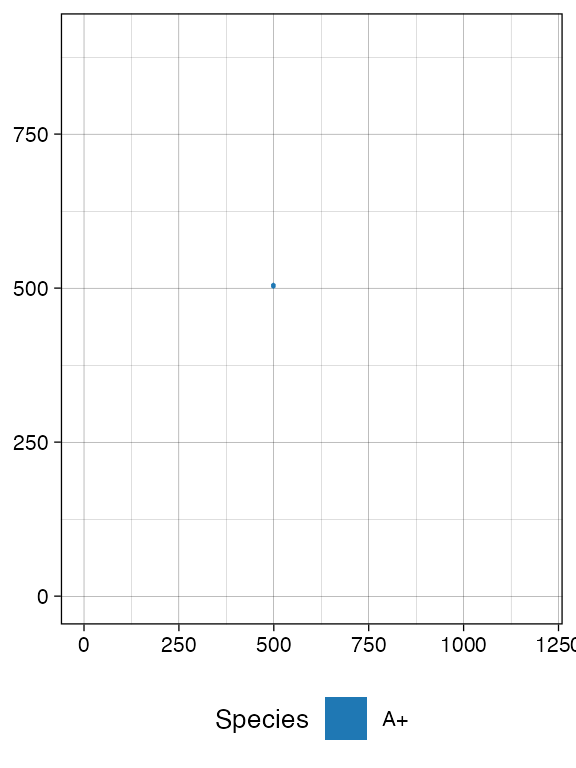
Note: since the plots are done with
ggplot2they can be assembled and customised.
Species Evolution
There are 4 ways to let the simulation evolve:
- advancing until the number of cells in a species reaches a given threshold \theta > 0;
- advancing until a new time t>0 is reached;
- advancing until a desired number of firings (of one particular event) has occurred;
- advancing until a formula is not satisfied by the simulation status (advanced topic; see this article).
Size-Based Simulation
We can run the simulation up to when we have \theta > 0; cells of species
A+
# Counts per species is now 0
sim$get_counts()
#>   mutant epistate counts overall
#> 1      A        -      0       0
#> 2      A        +      1       1

sim$run_up_to_size("A+", 500)
#>  [████████████████████████████████████████] 100% [00m:00s] Saving snapshot

# Counts per species now reports 500 for A+
sim$get_counts()
#>   mutant epistate counts overall
#> 1      A        -     50      94
#> 2      A        +    500    1724

plot_tissue(sim)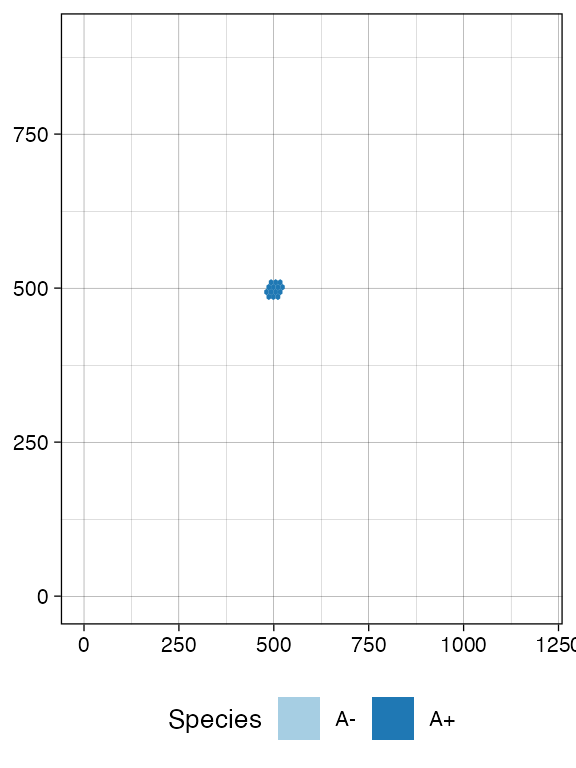
Firing-Based Simulation
The number of times each event has fired is accessible
# Get the number of fired event per species
sim$get_firings()
#>    event mutant epistate fired
#> 1  death      A        -    11
#> 2 growth      A        -    28
#> 3 switch      A        -     5
#> 4  death      A        +   327
#> 5 growth      A        +   859
#> 6 switch      A        +    38
A small number of cell deaths have occurred in species
A- up to this point, so we can simulate the system until
there are 100 of them.
sim$run_up_to_event("death", "A-", 100)
#>  [████████████████████████████████████████] 100% [00m:00s] Saving snapshot

# The row "death", for "A" "-" now reports 100
sim$get_firings()
#>    event mutant epistate fired
#> 1  death      A        -   100
#> 2 growth      A        -   303
#> 3 switch      A        -    30
#> 4  death      A        +  2914
#> 5 growth      A        +  5392
#> 6 switch      A        +   233
# Plot the tissue by using 200 bins
plot_tissue(sim, num_of_bins = 200)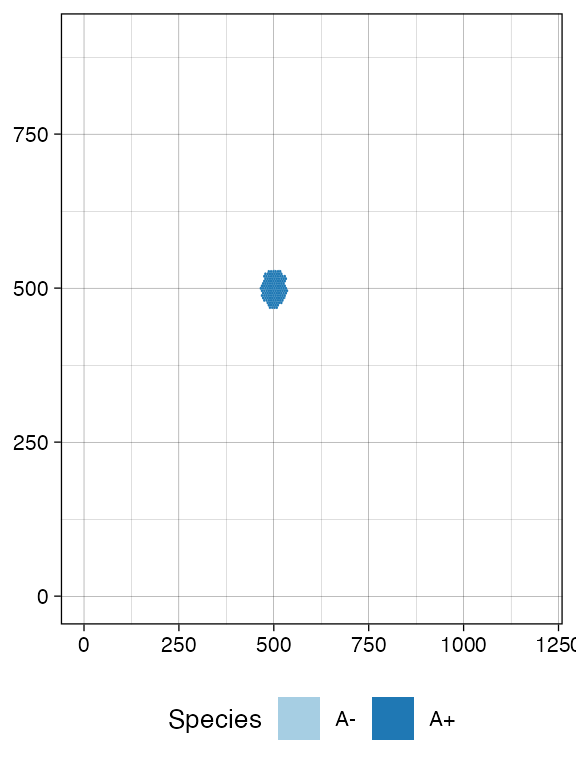
Clock-Based Simulation
It is also possible to take the current simulation clock as a reference, and simulate further.
# Get the simulation clock
sim$get_clock()
#> [1] 83.74796

# Run the simulation for other 15 time units
sim$run_up_to_time(sim$get_clock() + 15)
#>  [████████████████████████████████████████] 100% [00m:00s] Saving snapshot

# Get again the simulation clock
sim$get_clock()
#> [1] 98.74828
plot_tissue(sim)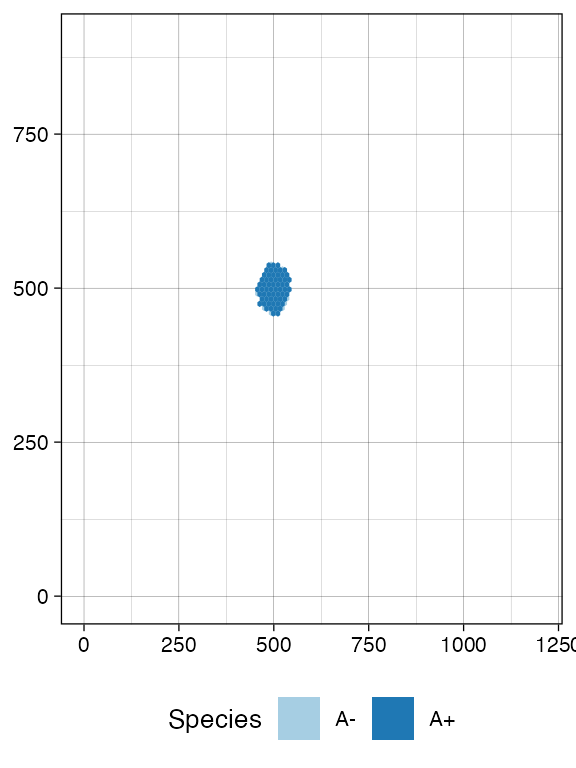
Getting Cells (Advanced)
At this point, if we query the simulation, we will find more cells
(we use dplyr to process query results). For convenience,
the getters accept parameters to subset the tissue.
# load dplyr to use %>%
require(dplyr)

# Get the cells in the tissue at current simulation time
sim$get_cells() %>% head()
#>   cell_id mutant epistate position_x position_y
#> 1   18137      A        +        459        492
#> 2   16744      A        +        460        490
#> 3   18317      A        +        460        492
#> 4   18138      A        +        460        493
#> 5   18318      A        +        461        490
#> 6   18424      A        -        461        491

# Get the cells in the tissue rectangular sample having
# [500,500] and [505,505] as lower and upper corners, respectively
sim$get_cells(c(500, 500), c(505, 505))  %>% head()
#>   cell_id mutant epistate position_x position_y
#> 1   17168      A        +        500        500
#> 2   16304      A        +        500        501
#> 3   15960      A        +        500        502
#> 4   17816      A        +        500        503
#> 5   17968      A        +        500        504
#> 6   14460      A        +        500        505

# Get the cells in the tissue having epigenetic state "-"
sim$get_cells(c("A", "B"), c("-")) %>% head()
#>   cell_id mutant epistate position_x position_y
#> 1   18424      A        -        461        491
#> 2   18423      A        -        461        492
#> 3   17989      A        -        462        494
#> 4   18315      A        -        462        503
#> 5   15992      A        -        464        490
#> 6   13775      A        -        464        495

# Get the cells in the tissue having epigenetic state "-" and,
# at the same time, belonging to rectangular sample bounded by
# [500,500] and [505,505] as lower and upper corners, respectively
sim$get_cells(c(500, 500), c(505, 505), c("A", "B"), c("-"))  %>% head()
#>   cell_id mutant epistate position_x position_y
#> 1   13714      A        -        501        500
#> 2   12614      A        -        501        503
#> 3   14915      A        -        502        504
#> 4   13927      A        -        504        501
#> 5   13092      A        -        504        503
#> 6   17333      A        -        505        500
Evolving new species
ProCESS can select cells from the tissue randomly for each mutant, or within a constrained tissue area.
# Stochastic sampling from the whole tissue: it can return A+ or A-
sim$choose_cell_in("A")
#>   cell_id mutant epistate position_x position_y
#> 1   18338      A        +        499        460

# Calling it again may result in a different cell
sim$choose_cell_in("A")
#>   cell_id mutant epistate position_x position_y
#> 1   18137      A        +        459        492

# Constrain sampling in the tissue rectangular selection [500,550]x[350,450]
sim$choose_cell_in("A",  c(500, 350), c(550, 450))
#>   cell_id mutant epistate position_x position_y
#> 1   17984      A        +        490        464
This feature can be used to program the generation of new species, mimicking new mutants that generate subclonal expansions.
Imagine we want to add a new mutant B with epi-states –
and therefore new species B+ and B- – as
descending from A, we need to:
locate one cell of mutant
Ain the tissue, which is where we will inject the new mutant;add the specifics of mutant
B(viaTissueSimulation$add_mutant(), as we did forA);implement the change of the cell of mutant
Ato a cell of mutantB.
# We locate a random cell
cell <- sim$choose_cell_in("A")
cell
#>   cell_id mutant epistate position_x position_y
#> 1   18338      A        +        499        460

# Add mutant
sim$add_mutant(name = "B",
               epigenetic_rates = c("+-" = 0.05, "-+" = 0.05),
               growth_rates = c("+" = 0.7, "-" = 0.3),
               death_rates = c("+" = 0.05, "-" = 0.1))
Then we inject the cell, and simulate a little bit.
# Mutant injection
sim$mutate_progeny(cell, "B")

# Generated event A -> B either in + or - epi-states is now recorded
sim$get_counts()
#>   mutant epistate counts overall
#> 1      A        -    700    2195
#> 2      A        +   3292   20682
#> 3      B        -      0       0
#> 4      B        +      1       1

# New evolution
sim$run_up_to_size("B+", 20000)
#>  [███████████████████████████████████████-] 97% [00m:00s] Cells: 31446 [████████████████████████████████████████] 100% [00m:00s] Saving snapshot
At this point, we can inspect the tissue in more detail. It can help to face the species to clearly appreciate the spatial diffusion of the populations.
plot_state(sim)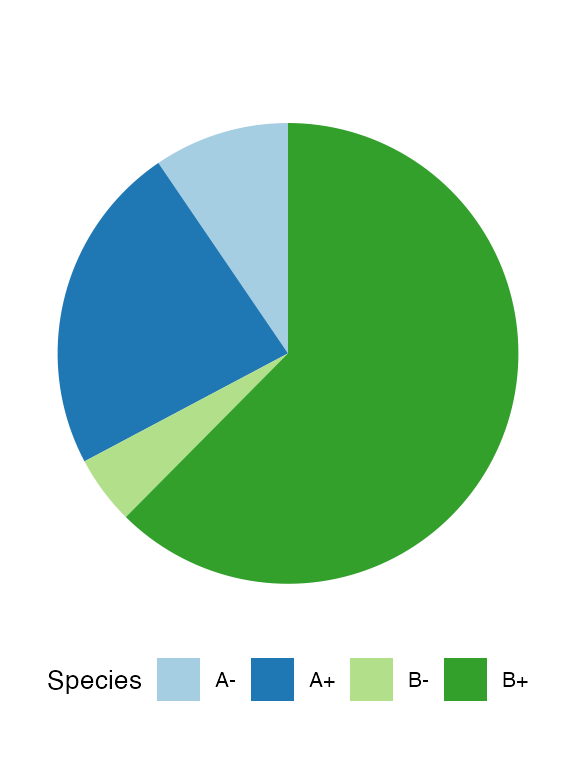
plot_tissue(sim, num_of_bins = 250)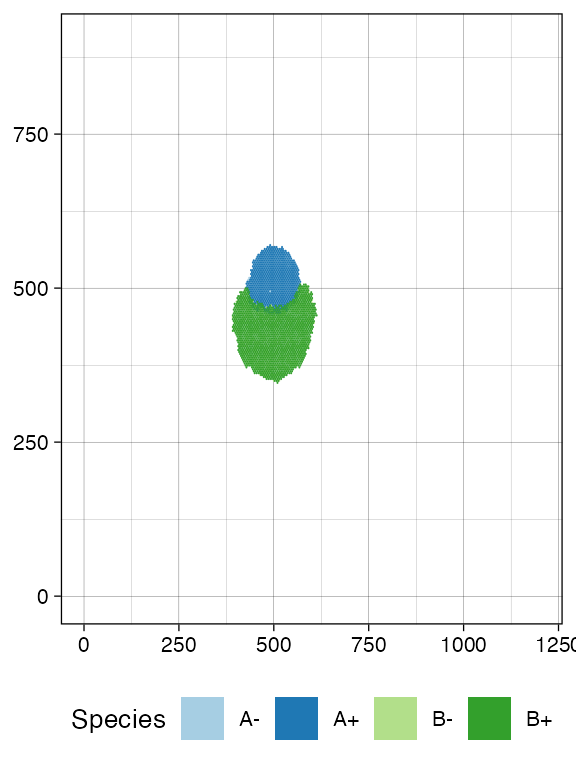
# Facet on species via ggplot
library(ggplot2)

plot_tissue(sim, num_of_bins = 250) + facet_wrap(~species)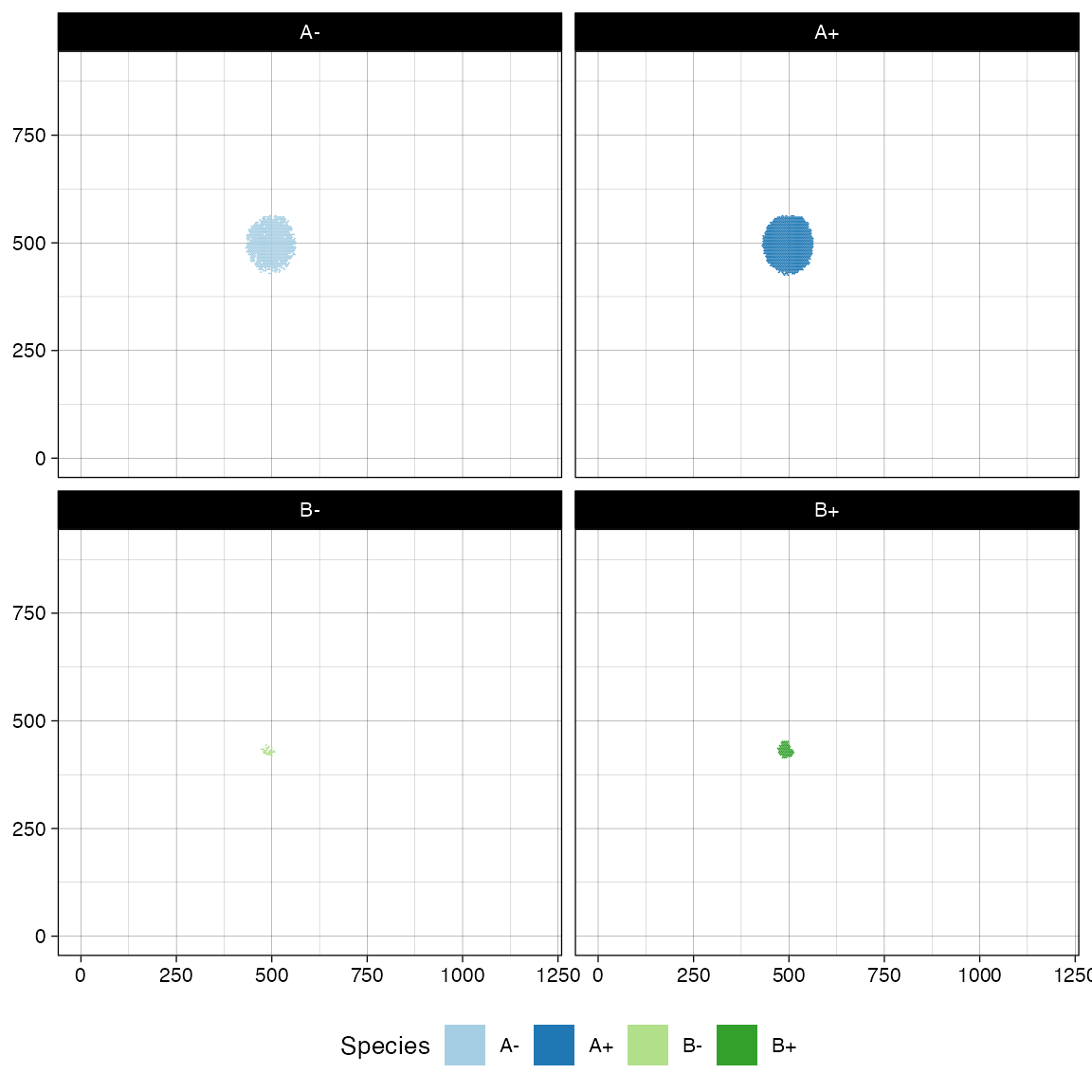
If, at this point in the simulation, we generate a new mutant
C from A in the rectangle [450,500]\times [550, 600].
# Define evolutionary parameters
sim$add_mutant(name = "C",
               epigenetic_rates = c("+-" = 0.1, "-+" = 0.1),
               growth_rates = c("+" = 0.2, "-" = 0.4),
               death_rates = c("+" = 0.1, "-" = 0.01))

# Choose and mutate
sim$mutate_progeny(sim$choose_cell_in("A",  c(450, 550), c(500, 600)), "C")

sim$run_up_to_time(sim$get_clock() + 7)
#>  [████████████████████████████████████████] 100% [00m:00s] Saving snapshot
plot_state(sim)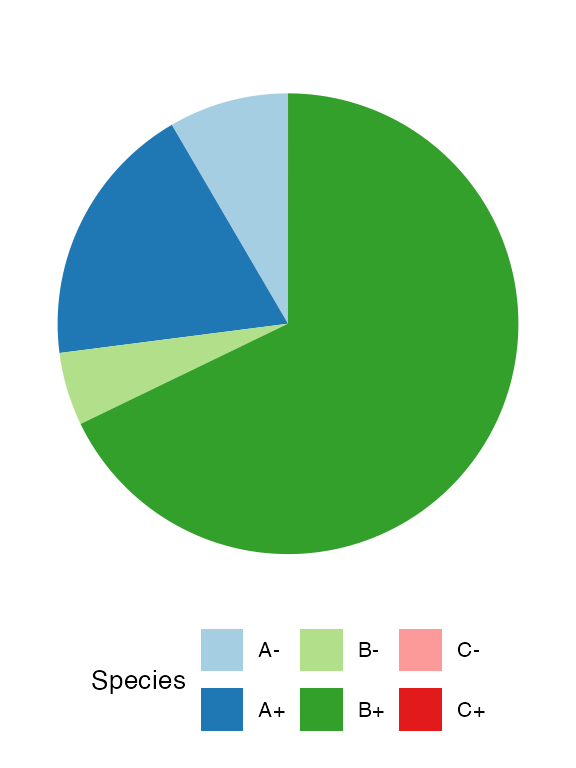
plot_tissue(sim, num_of_bins = 250)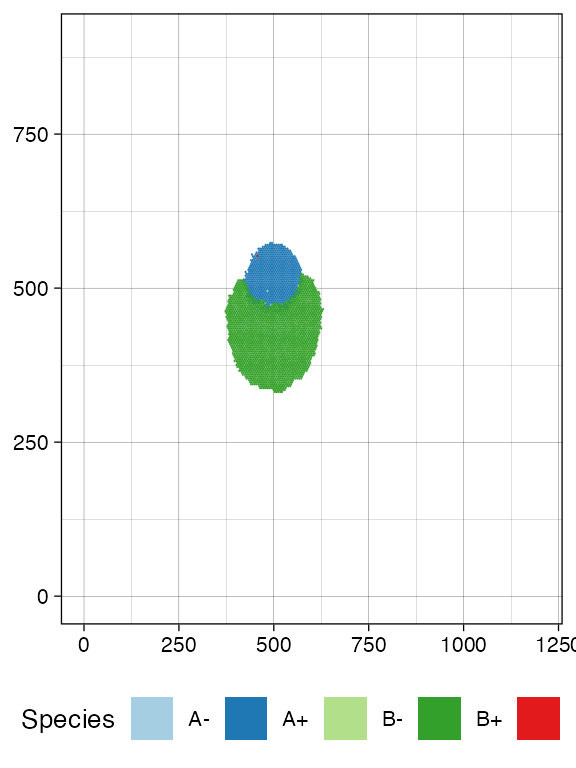
Other Operations
Injection of Cells into a Tissue
In the tissue, we can manually inject multiple cells; all injected cells can be retrieved.
# Now it will return just the initial cell
sim$get_added_cells()
#>   mutant epistate position_x position_y time
#> 1      A        +        500        500    0
Avoiding Drift
Any species with a non-zero death rate can become extinct due to drift.
Drift makes it difficult to simulate and be confident about what species are in the model. To facilitate the user, CLONES can avoid drift by setting a death activation level. This value is the minimum number of cells that enables cell death in a species: a cell of species S can die if and only if S has reached the death activation level at least once during the simulation.
This threshold applies to all species and is set to 1 by default.
sim$death_activation_level
#> [1] 1

# Change death activation level
sim$death_activation_level <- 50